
Programming Languages for Children
Author: Rocket Tech School
Publication date: 08.02.2026 | Review date: 16.04.2026
Almost every parent sooner or later begins to think about where to start with digital education: are programming languages really that complicated, and is it too early for a child to take a course. At the same time, there are many clubs, online schools, and applications around, and it is easy to get confused when choosing. Parents want the lessons to be interesting, to provide real skills, and not to discourage motivation.
If you are considering the first coding courses, it is important to understand that for a child it is critical not to immediately find the “perfect” simple programming language, but to create a positive first experience.
In this article we will examine which programming language is suitable for a school student with different interests, how to evaluate workload and programs, and which steps will help make the start comfortable.
If you are considering the first coding courses, it is important to understand that for a child it is critical not to immediately find the “perfect” simple programming language, but to create a positive first experience.
In this article we will examine which programming language is suitable for a school student with different interests, how to evaluate workload and programs, and which steps will help make the start comfortable.
Table of Contents
How to Choose a Programming Language for a Child
When parents try to figure out which course is best for their child to start with, dozens of questions arise. It is not clear to them how different programming languages for children are, how quickly the child will see results, and whether they will manage the theory. Here it is important to start not from an abstract ranking of languages, but from the specific situation of the family and its goals.
First of all, look at what your school student is interested in right now. One child likes sandbox games, another likes cartoons, and a third enjoys creativity and drawing. Depending on this, the choice of programming languages reveals itself differently: visual environments are suitable for a dreamer and an artist, while text-based ones better fit an analytical mindset. A good guideline for parents is to ask themselves which project would inspire the child the most: animation, a simple game, a website, or even a mod for Minecraft.
First of all, look at what your school student is interested in right now. One child likes sandbox games, another likes cartoons, and a third enjoys creativity and drawing. Depending on this, the choice of programming languages reveals itself differently: visual environments are suitable for a dreamer and an artist, while text-based ones better fit an analytical mindset. A good guideline for parents is to ask themselves which project would inspire the child the most: animation, a simple game, a website, or even a mod for Minecraft.
Orientation Toward Interests and Projects
To prevent lessons from turning into another boring obligation, it is important to connect programming courses for school students with already familiar formats.
If a child loves Roblox or Minecraft, it is easier for them to enroll in visual programming courses where projects resemble their favorite games. If they are interested in comics and draw characters, you can suggest a direction in digital animation and stories with heroes.
School students find it easier to engage when they see a clear goal. Therefore, when starting learning, discuss together what exactly they would like to create during the first month. It could be a mini-game in Scratch, an interactive postcard, or a web page with favorite characters. In a good online school, for example, there are courses on Minecraft, Roblox, Scratch, and digital creativity, where programs are built around projects rather than dry theory.
If a child loves Roblox or Minecraft, it is easier for them to enroll in visual programming courses where projects resemble their favorite games. If they are interested in comics and draw characters, you can suggest a direction in digital animation and stories with heroes.
School students find it easier to engage when they see a clear goal. Therefore, when starting learning, discuss together what exactly they would like to create during the first month. It could be a mini-game in Scratch, an interactive postcard, or a web page with favorite characters. In a good online school, for example, there are courses on Minecraft, Roblox, Scratch, and digital creativity, where programs are built around projects rather than dry theory.
Trial Learning Without Fear of Mistakes
Many parents are afraid that without a technical education they will not be able to support the child’s interest or explain complex material. In reality, adults are required to do something different: create a calm atmosphere where it is possible to try and make mistakes. It is important to convey that an unsuccessful program is not a failure, but part of learning, like drafts in a notebook for language class.
A good option is to take a trial lesson or a short introductory module to get acquainted with the teacher and the format. During the lesson, the child will see how the platform is organized, what other students are doing, and will have time to ask questions. And you will evaluate whether the child feels comfortable in the group, whether the pace of explanation is suitable, and whether there is enough practice. Such an approach helps to gently enter the learning process and reduces the fear of unfamiliar commands and the command line.
A good option is to take a trial lesson or a short introductory module to get acquainted with the teacher and the format. During the lesson, the child will see how the platform is organized, what other students are doing, and will have time to ask questions. And you will evaluate whether the child feels comfortable in the group, whether the pace of explanation is suitable, and whether there is enough practice. Such an approach helps to gently enter the learning process and reduces the fear of unfamiliar commands and the command line.
Recommended Languages for Children
When the basic doubts are resolved, you can move on to choosing specific technologies. Parents want to see a list where simpler and more complex options are already sorted, so it is easier to understand where to start. Here, an understanding of different types of programming languages and the age characteristics of school students will be useful.
Conventionally, several popular directions can be distinguished: visual blocks for primary school, general-purpose text-based programming languages for teenagers, and languages related to game development. For the beginning, environments are often recommended in which the child sees the result immediately on the screen and can “grasp” the logic without complex syntax. And later, for beginner teenagers, more serious courses in Python or web development are gradually offered.
Conventionally, several popular directions can be distinguished: visual blocks for primary school, general-purpose text-based programming languages for teenagers, and languages related to game development. For the beginning, environments are often recommended in which the child sees the result immediately on the screen and can “grasp” the logic without complex syntax. And later, for beginner teenagers, more serious courses in Python or web development are gradually offered.
Python
Python often becomes the first serious step for children who have already tried visual environments. The language is suitable for creating games, chatbots, simple web applications, and educational data projects. At the same time, the syntax is considered understandable for school students: fewer brackets and unnecessary symbols, more focus on logic.
In Python courses at online programming schools, the child learns to work with variables, conditions, and loops, and creates small games and useful programs. Gradually, the child is shown how skills in languages like Python are used in professions: from analytics to development. Such an approach helps the child see the practical meaning of the lessons, not only “abstract code in a notebook.
In Python courses at online programming schools, the child learns to work with variables, conditions, and loops, and creates small games and useful programs. Gradually, the child is shown how skills in languages like Python are used in professions: from analytics to development. Such an approach helps the child see the practical meaning of the lessons, not only “abstract code in a notebook.
Scratch
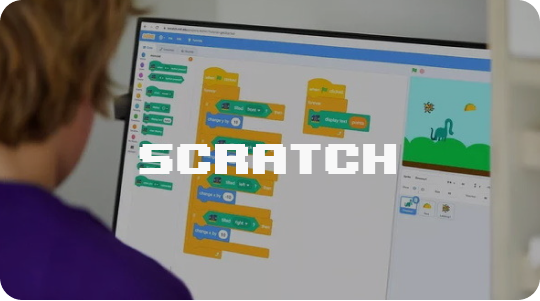
For primary school students and those who still find it difficult to focus on text-based code, Scratch is an excellent choice. This visual language allows programs to be assembled from colored blocks like a construction set. This lowers the entry barrier and makes it possible to focus on the logic of stories and games rather than memorizing commands.
In Scratch courses at an online school, the teacher helps the child step by step create their own cartoons, quests, and mini-games. Such a format is especially useful if parents want to develop imagination and gently guide the child toward more serious programming languages. After several projects, children find it easier to switch to text-based command writing and are not afraid of long lines of code.
In Scratch courses at an online school, the teacher helps the child step by step create their own cartoons, quests, and mini-games. Such a format is especially useful if parents want to develop imagination and gently guide the child toward more serious programming languages. After several projects, children find it easier to switch to text-based command writing and are not afraid of long lines of code.
JavaScript
JavaScript is more often chosen for teenagers who are interested in how websites and web applications work. With this programming language, interactive pages, user reactions, animations, and small browser games are created. Students see the result directly in the browser window, which strongly supports motivation.
In many programming schools, JavaScript is studied in web development courses: teenagers build pages, connect scripts, and work with events and simple games. Here it is important to explain to the teenager that the first programs may look bulky, and this is normal. Gradually, the skills of structuring code and checking errors come with experience, especially if the teenager has the opportunity to ask questions to the instructor.
In many programming schools, JavaScript is studied in web development courses: teenagers build pages, connect scripts, and work with events and simple games. Here it is important to explain to the teenager that the first programs may look bulky, and this is normal. Gradually, the skills of structuring code and checking errors come with experience, especially if the teenager has the opportunity to ask questions to the instructor.
Lua
The Lua language is well known to many school students from Roblox: it is used to create worlds, levels, and mini-games inside the platform. For many children, this is a good bridge from the role of a player to the role of a level creator. They see how the familiar Roblox world is revealed in a new way when it is possible to change rules, add items, and events.
In Roblox lessons at an online school, the child gradually learns the basics of Lua and learns to think like a game designer. The teacher helps the student understand the connections between scripts and the result in the game, plan levels, and consider the experience of future players. Such experience shows the child that creating games is not magic, but a sequential process that can be learned.
In Roblox lessons at an online school, the child gradually learns the basics of Lua and learns to think like a game designer. The teacher helps the student understand the connections between scripts and the result in the game, plan levels, and consider the experience of future players. Such experience shows the child that creating games is not magic, but a sequential process that can be learned.
Brief Summary and the Next Step in Learning
When choosing programming languages for children, rely on age, interests, and the goals you want to achieve in the near future. For some, visual builders are closer; for others, projects with websites or full games. It is important to remember that the main task at the start is not the “perfect” language, but maintaining motivation and the feeling that the world of code is open to the child.
If you would like it to be easier for a child to enter the digital environment, you can simply discuss the first steps together and choose a format that resonates. RTS School offers courses for different ages: from Junior programs and digital creativity to Python, Unity, and web development, where the child’s abilities are taken into account and a lot of practice is provided. This helps to take the first confident step and then consciously decide which directions and technologies to develop further and how many new programming languages to try.
If you would like it to be easier for a child to enter the digital environment, you can simply discuss the first steps together and choose a format that resonates. RTS School offers courses for different ages: from Junior programs and digital creativity to Python, Unity, and web development, where the child’s abilities are taken into account and a lot of practice is provided. This helps to take the first confident step and then consciously decide which directions and technologies to develop further and how many new programming languages to try.
What else is useful to read:
Programming, game development, digital creativity, and AI — choose an IT track that fits your child's age and interests!
6 courses to choose from: from animation to neural networks





Другие курсы


Rocket tech school LLC (USA)
401 Ryland Street, STE 200-A Reno, NV 89502 USA
IE Diana Kornigor, tax number 345724371 (Georgia)
2025
401 Ryland Street, STE 200-A Reno, NV 89502 USA
IE Diana Kornigor, tax number 345724371 (Georgia)
2025