
Programming Tasks for Children
Author: Rocket Tech School
Publication date: 26.02.2026 | Review date: 17.04.2026
Parents who choose digital clubs often find it difficult to understand which programming tasks for children actually develop thinking. Some materials turn into boring repetition of examples and quickly discourage interest. At the first steps it is especially important that the assignments are manageable and do not resemble adult competitions.
Well-chosen examples allow children to quickly see results and feel confident. The child better understands whether they like the very idea of working with code and creating projects. In this article we will examine how programming tasks differ from ordinary examples in a textbook, which formats are suitable for different ages and levels of preparation, and where to find quality materials.
Well-chosen examples allow children to quickly see results and feel confident. The child better understands whether they like the very idea of working with code and creating projects. In this article we will examine how programming tasks differ from ordinary examples in a textbook, which formats are suitable for different ages and levels of preparation, and where to find quality materials.
Table of Contents
- Why children and school students need programming tasks
- How to choose programming tasks for children of different ages
- Primary school children: logic and visual environments
- Middle school: text-based languages and Python for children
- Teenagers: projects and preparation for olympiads
- Examples of tasks and assignment formats
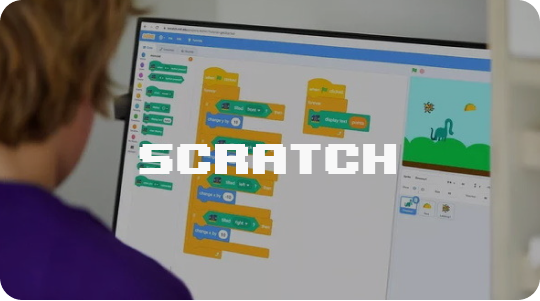
- Visual tasks in Scratch
- Logic tasks without a computer
- Programming tasks in Blockly or Code.org
- Programming tasks in Python
- JavaScript tasks for school students
- Programming tasks in environments with robots
- Foreign collections of tasks and book rankings
- Where to find tasks and online programming platforms
- How to organize a child’s work with tasks at home
Why Children and School Students Need Programming Tasks
When a child solves programming tasks, they learn not only to write code. Each new assignment trains several skills at once.
Main effects of regular practice:
Main effects of regular practice:
- development of logical and algorithmic thinking;
- the ability to break a large problem into steps and plan a solution;
- accuracy: any mistake in the condition or code prevents the task from being completed;
- patience and working with errors — a useful skill not only in school learning.
How to Choose Programming Tasks for Children of Different Ages
It is important to consider not only age but also experience. One child may already be familiar with loops and conditions, while another is just taking the first steps and getting confused by the concepts. Below are guidelines that will help select tasks according to the abilities of the learners.
Primary School Children: Logic and Visual Environments
For younger grades, simple programming tasks that can be solved without complex syntax are suitable:
- ogical assignments in the style of “create an algorithm for a robot”;
- exercises on arranging actions in the correct order, finding mistakes in ready-made “pseudocode”;
- visual projects in Scratch or environments similar to Minecraft Education.
Teenagers: Projects and Preparation for Olympiads
Older school students can be offered more serious assignments:
- processing arrays, working with lists and dictionaries;
- simple sorting and searching algorithms;
- analysis of typical programming tasks that appear in beginner-level olympiad practice.
Examples of Tasks and Assignment Formats
To make it easier to navigate, let us consider specific exercises in different formats and in different languages. They can be adapted to the level of school students and used at home or in a course.
- Visual Tasks in Scratch
Suitable for the beginning of learning and for primary school students.
- Create an animated birthday card: a character says a congratulatory message, the background colors change, and music plays.
- Create a game “Catch the Cat”: the cat appears in random places, the child must manage to click on it within the allotted time, and points are awarded for each successful click.
- Build an interactive scene based on a favorite fairy tale: characters appear one by one, say their lines, and move along a set path.
2. Logic Tasks Without a Computer
Useful when you want to develop algorithmic thinking away from the screen.
- Come up with a “program” for a robot that has to make a sandwich: the child writes the steps in order, and an adult “executes” them literally, demonstrating the importance of precise instructions.
- Arrange action cards so that the robot moves from point A to point B without stepping on “traps.”
- Find the mistake in a ready-made algorithm: the sequence of actions for a morning routine is mixed up, and the child corrects the order.
1. Why children and school students need programming tasks
2. How to choose programming tasks for children of different ages
2.1 Primary school children: logic and visual environments
2.2 Middle school: text-based languages and Python for children
2.3 Teenagers: projects and preparation for olympiads
3. Examples of tasks and assignment formats
3.1 Visual tasks in Scratch
3.2 Logic tasks without a computer
3.3 Programming tasks in Blockly or Code.org
3.4 Programming tasks in Python
3.5 JavaScript tasks for school students
3.6 Programming tasks in environments with robots
4. Foreign collections of tasks and book rankings
5. Where to find tasks and online programming platforms
6. How to organize a child’s work with tasks at home
2. How to choose programming tasks for children of different ages
2.1 Primary school children: logic and visual environments
2.2 Middle school: text-based languages and Python for children
2.3 Teenagers: projects and preparation for olympiads
3. Examples of tasks and assignment formats
3.1 Visual tasks in Scratch
3.2 Logic tasks without a computer
3.3 Programming tasks in Blockly or Code.org
3.4 Programming tasks in Python
3.5 JavaScript tasks for school students
3.6 Programming tasks in environments with robots
4. Foreign collections of tasks and book rankings
5. Where to find tasks and online programming platforms
6. How to organize a child’s work with tasks at home
3. Programming Tasks in Blockly or Code.org
Good for teaching children when the child is already ready for more structured logic, but text-based code is still difficult.
- Assemble a program that guides a character through a maze using as few repeated commands as possible (loops are introduced).
- Write a “drawing tool”: the character moves across the screen and leaves a trail, forming simple geometric shapes.
- Modify a ready-made project so that the character responds to keyboard keys and changes movement speed.
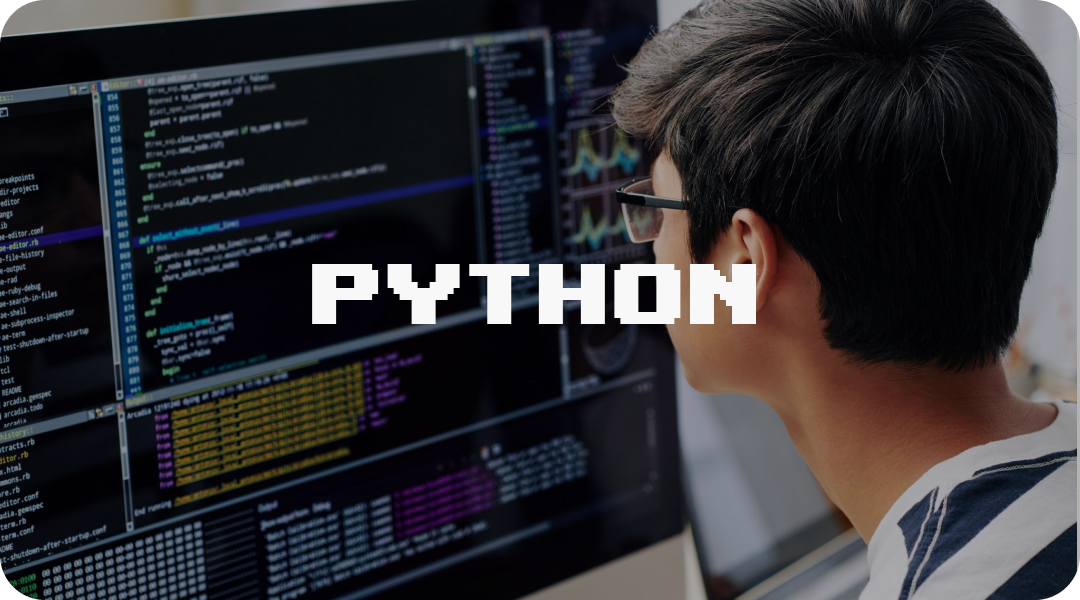
4. Programming Tasks in Python
For children aged 10–13 and older, when it is possible to transition to text-based code.
• Trip Calculator program: the user enters the distance and fuel consumption, and the program calculates how many liters are needed and how much it will cost.
• Password generator: a random combination of a specified length is created from a list of words and numbers.
• Score counter: the child enters the results of several games, and the program outputs the average result and the best attempt.
Such Python tasks for children show how the language helps solve everyday programming tasks.
Additionally, short code examples can be analyzed: they help the child connect the text of the task with a real program and teach them to carefully read each line.
Example: checking an even and odd number
```python
number = int(input("Enter a number: "))
if number % 2 == 0:
print("The number is even")
else:
print("The number is odd")
Here the child recalls division with a remainder and sees how the if condition affects the result.
Example: calculating the average grade
math = int(input("Math grade: "))
russian = int(input("Russian grade: "))
it = int(input("Computer science grade: "))
average = (math + russian + it) / 3
print("Average grade:", average)
Such a task is convenient to connect with school: the child enters their grades, and the program calculates the average value.
• Trip Calculator program: the user enters the distance and fuel consumption, and the program calculates how many liters are needed and how much it will cost.
• Password generator: a random combination of a specified length is created from a list of words and numbers.
• Score counter: the child enters the results of several games, and the program outputs the average result and the best attempt.
Such Python tasks for children show how the language helps solve everyday programming tasks.
Additionally, short code examples can be analyzed: they help the child connect the text of the task with a real program and teach them to carefully read each line.
Example: checking an even and odd number
```python
number = int(input("Enter a number: "))
if number % 2 == 0:
print("The number is even")
else:
print("The number is odd")
Here the child recalls division with a remainder and sees how the if condition affects the result.
Example: calculating the average grade
math = int(input("Math grade: "))
russian = int(input("Russian grade: "))
it = int(input("Computer science grade: "))
average = (math + russian + it) / 3
print("Average grade:", average)
Such a task is convenient to connect with school: the child enters their grades, and the program calculates the average value.
5. JavaScript Tasks for School Students
Suitable for teenagers who are interested in websites and web pages.
- Create a page where clicking a button changes the background and the header text.
- Add a simple game: when a button is pressed, a shape appears and disappears on the screen, and the child must manage to click on it within a certain time, while a score counter keeps track of points.
- Implement form validation: if the name field is empty, a hint appears when the form is submitted.
6. Programming Tasks in Robot Environments
You can use real kits or virtual robots.
- Program a robot so that it follows a line without going outside the boundaries.
- Make the robot go around an obstacle and return to the starting point.
- Write a “cleaning route”: the robot must visit all the cells of a “room” in sequence and must not pass through the same one twice
Foreign Collections of Tasks and Book Rankings
If you want to rely on proven materials, you can look at foreign collections where step-by-step projects are explained in detail. In English-language rankings, books such as Teach Your Kids to Code, Python for Kids, and Coding Projects in Python are often mentioned — they contain many practical programming tasks based on clear examples and games. It is also convenient to look through selections in the format “best coding books for kids”, for example:
- the review “Top 15 Best Coding Books for Kids” on the CodaKid website;
- the list “Python books for kids” with descriptions of books about Python.
Where to Find Tasks and Online Programming Platforms
Besides books, there are many online resources and projects for classroom use or for home learning. On these platforms, a child can find clear tasks and learn the basics of programming through games and mini-projects.
Useful types of platforms:
Useful types of platforms:
- children’s courses and open practice sections where assignments for children are divided by topics and programming languages;
- blogs and articles with collections of exercises for different ages;
- separate repositories with practical examples where authors collect exercises at the “beginner” and “intermediate” levels.
- filters by level and programming language;
- ready-made solutions and explanations of mistakes;
- a structured course format rather than just a scattered collection of individual tasks.
How to Organize a Child’s Work with Tasks at Home
Even the best programming tasks will not produce results if they are solved only from time to time. It is useful to agree with the child that several times a week they will complete one or two small assignments, while you calmly take interest in the results.
Several practical recommendations:
Several practical recommendations:
- make sure the lessons are manageable: it is better to study more often but in small portions;
- alternate new topics with repetition of already familiar examples;
- discuss with the child how they searched for a solution, not only the correct answer.
Programming, game development, digital creativity, and AI — choose an IT track that fits your child's age and interests!
6 courses to choose from: from animation to neural networks





Другие курсы



Rocket Tech School LLC (USA)
Rocket Tech School LLP (UK)
IE Ivan Pavliulin
2026
Rocket Tech School LLP (UK)
IE Ivan Pavliulin
2026